Attention: Aspiring & Existing Course Creators, Membership Site Owners, Coaches, Freelancers and affiliates
Launch Your First Funnel with Systeme.io
Get a quick win in 30 minutes!(100% FREE)
Note: You are viewing this page from a mobile device. It is strongly encouraged you go through this "Quick Win Onboarding" steps on your computer in order to implement as you go.


By the way, everything you are seeing is 100% created on Systeme.io, which gives you access to all these features for FREE.
Create a free account by visiting systeme.io and clicking on "Get my free account" on the top right of the page.
This will open a popup to enter your email address.
Do so - enter your email address.
It will ask you to confirm your email address, so go to your email inbox find the confirmation email from Systeme.io and click on the link in the email.
Then it will ask you to create a new password.
Do that.
Once you do, you will have access to your Systeme.io dashboard. Congratulations! You are IN! 🎉
In case you need a video showing you this process, see the video below.
And below that video is a button to create your free account too.
I am going to share with you a 2-page funnel template.
Page 1 - landing page, to collect email addresses.
Page 2 - thank you page, to let them know they successfully subscribed and tell them what the next step is.
This is a simple "list-building funnel".
You are going to use a simple template, which is:
"coming soon" landing page
Why?
Because we walk you to have a quick win and have something LIVE RIGHT NOW!
Maybe you are selling a physical product, a coaching program, an online course or a book or want to launch a membership or become an affiliate marketer.
Whatever type of product or service you are planning on selling, you want to start building an audience who might be interested in that.
That's why we chose a simple "Coming soon" landing page, also known as a waitlist page.
It gives you something you can start sharing in 10 minutes from now.
Here is an example of one that I created for myself in anticipation of launching an affiliate program.
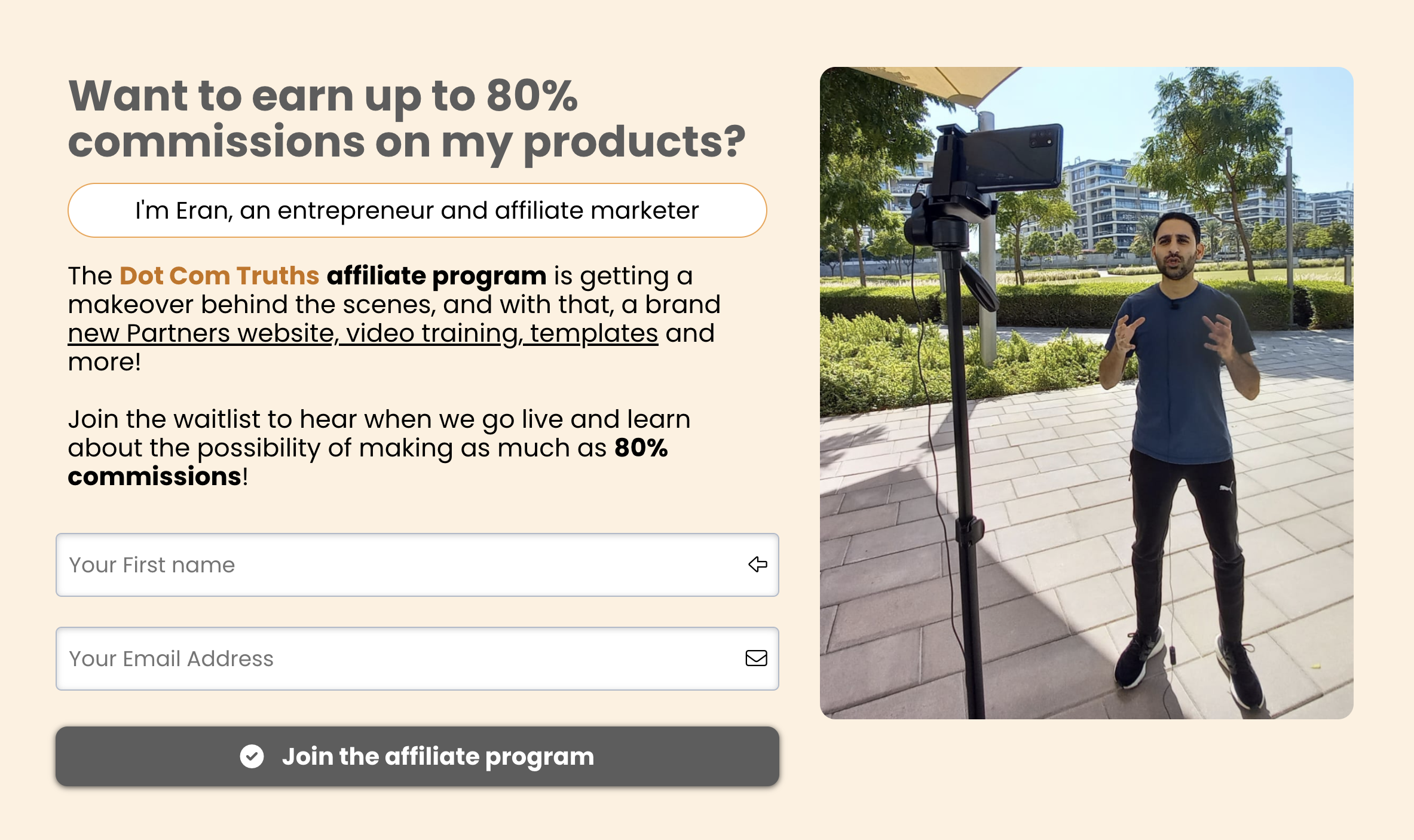
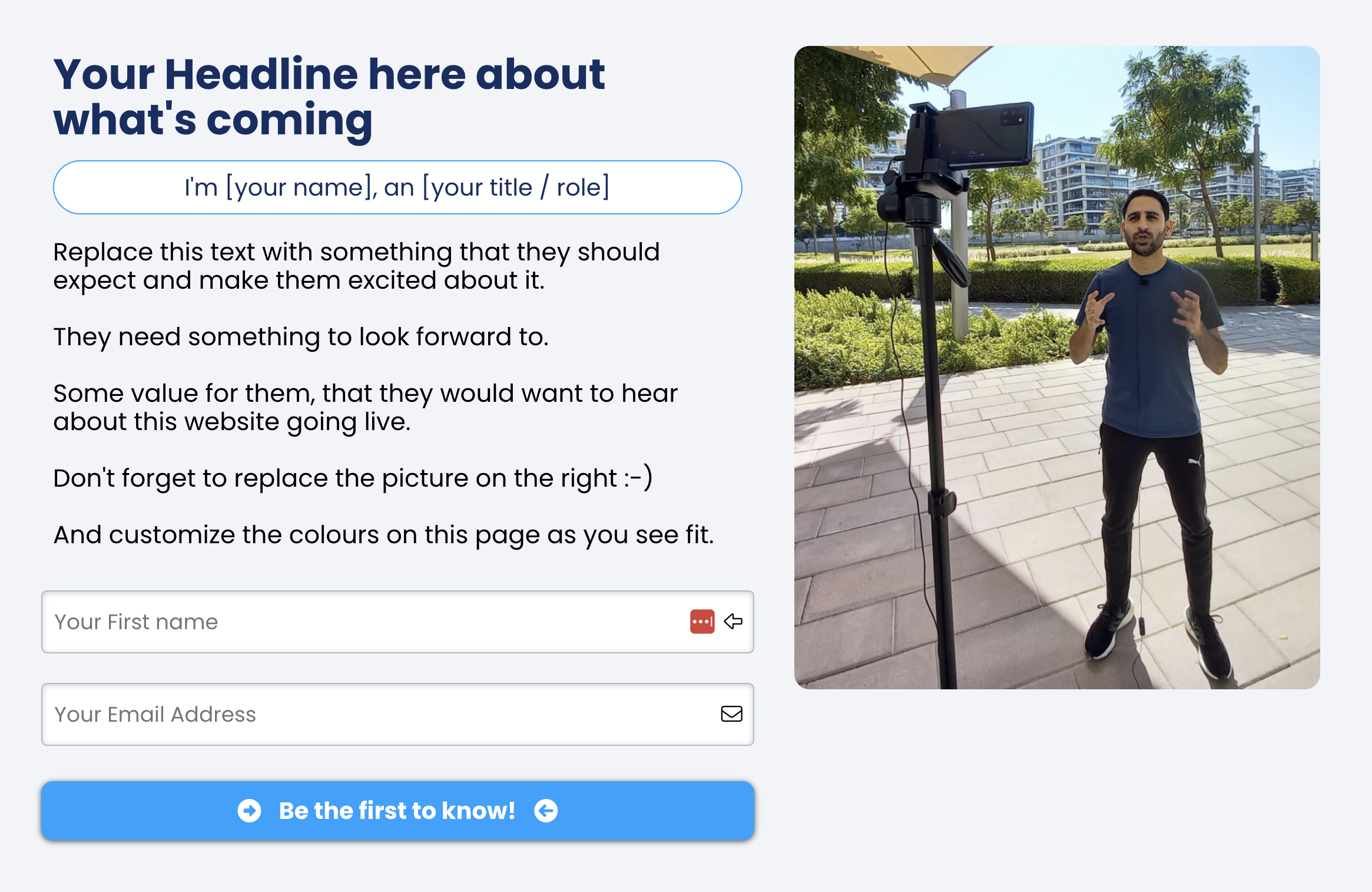
Based on this example, I created a simple template you can follow the exact same way.
Here is what the template looks like:
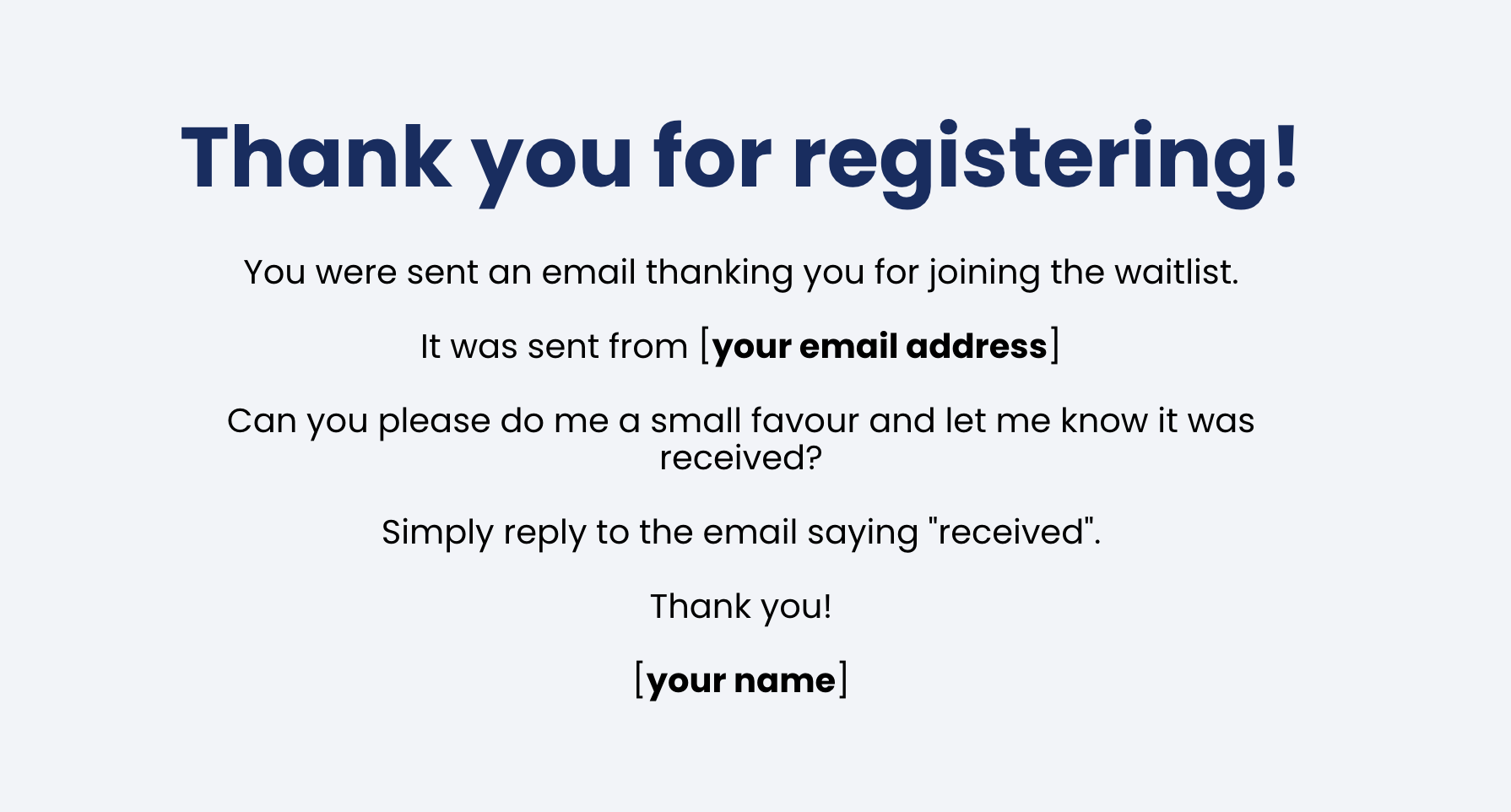
And you also get page 2, which is the thank you page.
Here is what it looks like:
Here is what is so cool about Systeme.io.
I am going to have you click ONE button, and these 2 pages are going to instantly be in your Systeme.io account.
Ready?
Click the button below.
Once you do, this 2-page funnel will appear in your funnels!
In case you need a video showing you this process, see the video below.
The next step is to customize the text and colours of your landing page.
Now that you have a landing page installed, a few pieces.
Here is a checklist for you to follow, starting with the settings of the page:
Choose your default font for text
Choose your default font for headlines
Choose the colour of your text, or leave it as is
Change the page colour background, or leave it as is
Next, time to change the text on the page and replace the photo.
Change the headline and say what is coming that gives them a reason to be excited
Change your name and title
Change the text to make it exciting for them to know about
Replace the photo with your own photo
Need inspiration?
This is what my page looks like:
Here is a video showing you this process and how to customize the page:
The next step is to customize the text and colours of your Thank You Page.
The Landing Page is done! 🎉
Next is the Thank You Page...
Here is a checklist for you to follow, starting with the settings of the page:
Choose your default font for text
Choose your default font for headlines
Choose the colour of your text, or leave it as is
Change the page colour background, or leave it as is
Next, time to change the text on the Thank You page:
Change the "email address" so they know where you sent them an email from
Change your name at the bottom
That's it!
Here is a video for you on how to do the steps of customizing the page:
You might be wondering, "what email did I send them?"
That's coming next and it starts with a 1-click install template in step 5...
The last piece to add is your email sequence.
In the spirit of keeping things simple, I am giving you ONE email to customize.
You can add more later.
Right now, let's just get it DONE!
The template is generic enough, that you can practically use exactly what is there...
But you're welcome to edit it as you see fit.
Here is what is so cool about Systeme.io.
I am going to have you click ONE button, and this email will be added instantl to your Systeme.io account.
Ready?
Click the button below.
Once done, you go to "emails" and click "campaigns" and you will see the email campaign.
You will click on email 1, subject line "You're in! 🎉 (what next?)"
Change your name at the bottom.
Read the email, make sure you're happy with it, and edit as you see fit, and make it LIVE!
Here is a short video tutorial to walk you through this process:
We're at the home stretch!
The last step is connecting the pieces so everything talks to each other and going LIVE!
Home stretch!
The last step is to connect the pieces.
I already pre-connected the landing page to the thank you page.
What needs to be connected is the welcome email you wrote, so it gets automatically sent as soon as someone subscribes to your waitlist and tag your new subscriber.
Here is a checklist:
Go to the Landing Page and under "automation rules", you click on "funnel step subscribed", and click on "add rule", then you add two different rules:
Add tag called "Newsletter"
And second rule is "Subscribe to campaign" and you choose the one we added
Then you go back to "Step Configuration" and delete the text in the URL Path so that your home page is your landing page.
Click save.
Copy the home page URL and it is ready to be shared!
That's it!
Here is a video for you on how to do the steps of customizing the page:
You are live!
Congratulations! 🎉
Did you take 10 minutes? Probably not 😉
But you got it DONE! ✅
Now, I know you have a million questions of more things you want to do with your Systeme.io account.
Don't worry, I answer these and a lot more in my YouTube channel and my Systeme.io Tech tutorials Facebook group.
This is NOT the end of your journey with Systeme.io.
I simply wanted to create this short "quick win" onboarding to help you get something LIVE - and do it FAST.
Now it's time to work hard to get people there, and optimize what you have for the next steps.
To your success!
Eran Bucai
I know you have more questions.
This section is dedicated to answering the most common stuff you might be thinking.
You are welcome to submit more questions by clicking the orange button "Email your feedback" or post them in the FB group and I'll be sure to add them and continue to grow this FAQ library too.
You absolutely can, and I have a tutorial for you.
But for the purpose of a quick win, please do this only after completing steps 1-6 above so you have a page ready to go live NOW.
With that said, here is a tutorial,
Even though I show you how to connect it yourself, I would strongly recommend you get help from someone on my team.
You can learn more about getting help for free by visiting this page.
It is optional but you are going to have a hard time with your email deliverability without a professional email address.
So as soon as possible I strongly recommend you get a professional email address.
Meaning, you don't send your automated emails from Systeme.io using your Gmail or Yahoo, but you a domain email address.
In my case, it's contact@eranbucai.
You can get this from G-Suite or your Hosting provider.
I have a service to help you with this which I explain on video in case you want to use my service for this.
I recommend, as a Systeme.io customer, that you buy your domain name from NameCheap.
It is the one company I have never had an issue with integrating their domains with systeme.io.
You do not need to buy hosting with them - just the domain name.
There is something called SEO settings in your landing page and after you share it on Facebook, you'll see it may not look the way you want it.
Maybe it says "squeeze page" on the top of the page or in messenger when you share it.
There is an easy fix, and I explain about how to do that in this tutorial.
You cannot connect your domain name to your website hosted elsehwere and also to your Systeme.io account.
Your options are to buy a new domain name for Systeme.io account, or to use a sub-domain.
For example, I have www.dotcomtruths.com set up elsewhere.
And in systeme.io, I have a sub-domain which is members.dotcomtruths.com, which is where all my courses and membership content is.
Here is a tutorial on how to set up a sub-domain.
There are NO high ticket upsells on the back of any of my products.
Not now, not later.
I do not sell ANY high ticket coaching programs or courses.
I have NOTHING to sell you that is above $1,000 dollars unless it is a bespoke service to build a website.
I simply refuse to charge ridiculous prices from beginners like so many others for coaching and courses.
My business is great serving lots of people for extremely low and affordable prices on a recurring basis.
I run a membership business called Dot Com Truths where I support entrepreneurs in going from idea to living off passive/recurring income through tech support, guides, templates and practical advice.
You can read about my membership tiers below.
Yes, I do.
You can read more about it by clicking the button below.
Yes, I have a tech support membership with a trusted team to help support you in your online journey, guiding you through any tech challenges and much more.
We provide under-24 hours tech support.
What does that mean?
See the video below, and then the button below to read more about the membership.